
Overview
PRO-TECH TITAN simplifies the configuration of frames and doors thoughout your project. One of the ways that this is done is through the use of Frame Types and Door Types.
Frame Types
In PRO-TECH TITAN it is not necessary for you to detail a unique frame for each of your openings.
Instead, you can detail a small number of "Frame Types" and then assign any one of these Frame Types to multiple openings.
This relationship between Frame Types and openings is very similar to the relationship between Hardware Sets and openings. Where a single Hardware Set can be assigned to multiple openings.
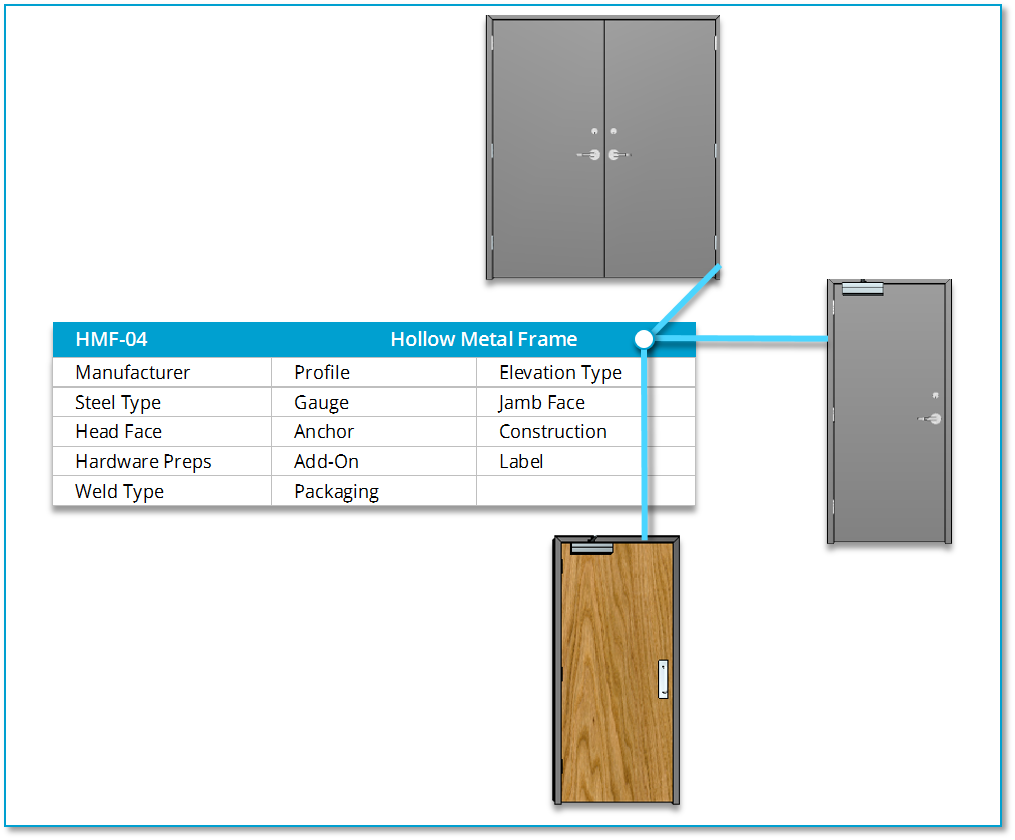
The diagram above shows a Frame Type "HMF-04" that is assigned to 3 separate and different openings.
The detail, (attributes), of a Frame Type does not take size into consideration. The overall size of a frame, its width, height and jamb depth is specific to an opening. Otherwise, Frame attributes like "Steel Type," "Gauge" and "Jamb Face" are often common to many frames in a project.
You can create as many unique Frame Types as you need in PRO-TECH TITAN and then assign each of these Frame Types to as many openings as needed.
Door Types
Likewise, in PRO-TECH TITAN it is not necessary for you to detail a unique Door for each of your openings.
Instead, you can detail a small number of "Door Types" and then assign any one of these Door Types to multiple openings.
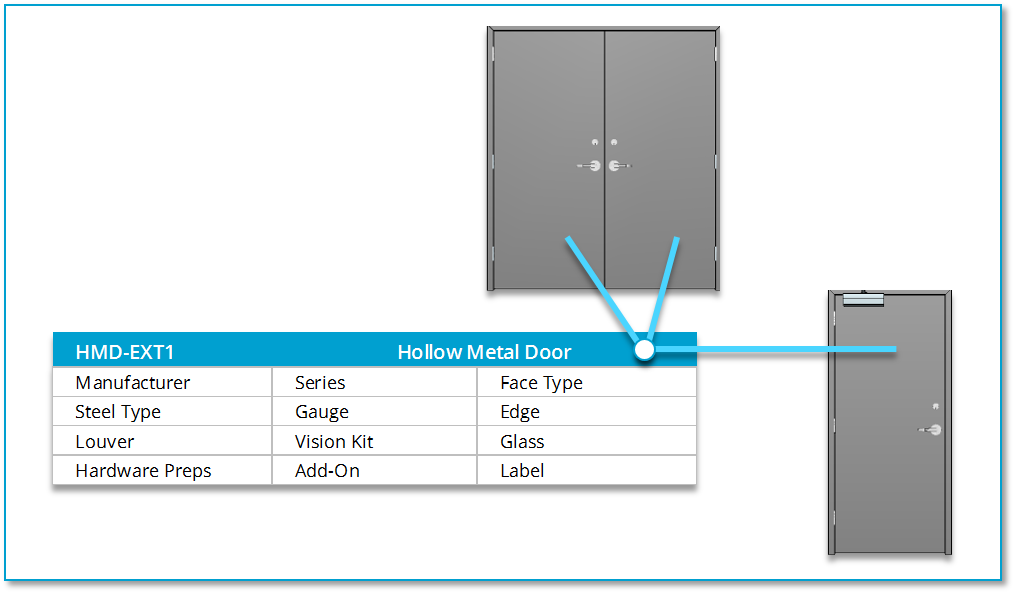
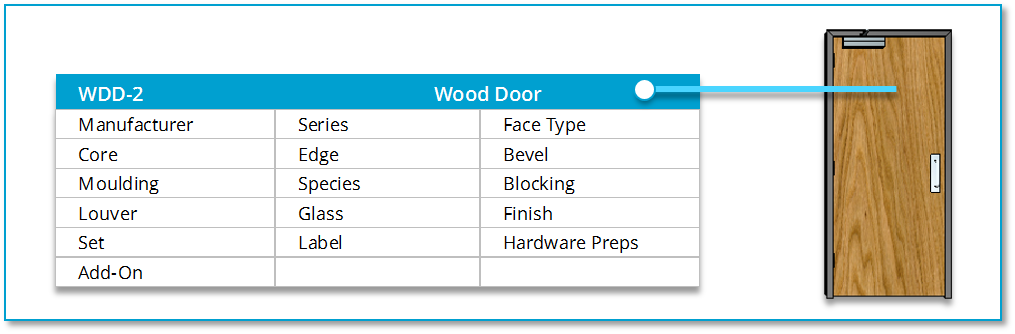
The diagrams above show a Door Types "HMD-EXT1" and "WDD-2" that are assigned to 3 separate and different openings.
Notice that the detail, (attributes), of the Door Types do not take size into consideration. The overall size of a Door, its width, height and thickness is specific to an opening. Otherwise, Door attributes like "Series," "Steel Type," and "Gauge" (for Hollow Metal) and "Series," "Core" and "Species" (for Wood) are often common to many doors in a project.
You can create as many unique Door Types as you need in PRO-TECH TITAN and then assign each of these Door Types to as many openings as needed.