Editing Frame and Door Types
The steps to follow to edit a Frame Type or a Door Type are the same.
Editing a frame or door type is as simple as editing cells in the Frame or Door Types Grid.
However, since a frame type or door type can be assigned to multiple openings, PRO-TECH TITAN provides some conveniences to assist you when you are editing a frame type or door type that is assigned to multiple openings.
Example: Editing a Frame Type
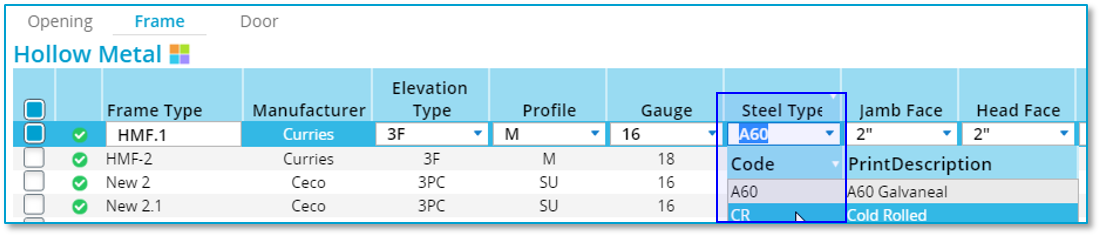
In this example there is a Frame Type, HMF.1

HMF.1 is assigned to more than 1 opening
The Steel Type is being changed from "A60" to "CR"
PRO-TECH TITAN detects that this change could affect multiple openings and presents this dialog box:
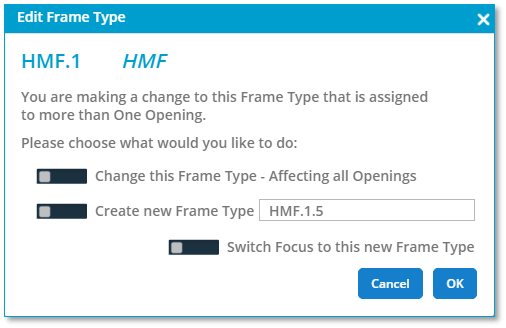
Here, you are given a choice:
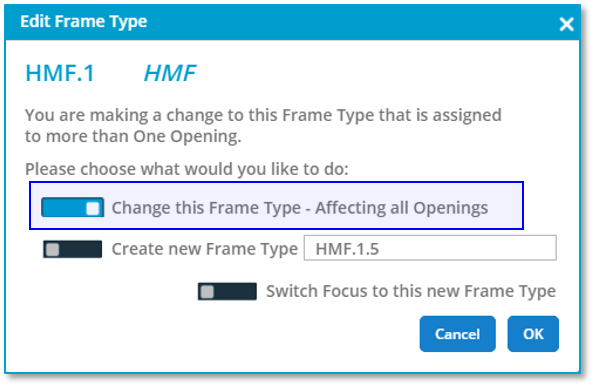
- Allow the change to affect all of the openings that HMF.1 is assigned to.
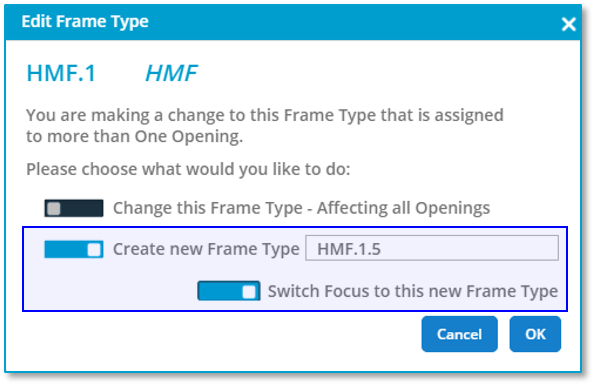
- Create a new Frame Type that includes this change.
To choose option 1, simply flip the first toggle and click on "OK." The Frame Type will be updated and all openings that HMF.1 is assigned to will be affected.